
Unit records
Model the unit structure
Translate the unit’s real organization into a branch-aware hierarchy that powers placement and scope.
Guide at a glance
How to use this guide
Start with
Begin with the existing record and its history. Search before creating, and distinguish correction, status change, and deletion.
By the end
The authoritative record is accurate, linked, placed correctly, and still explains how it reached its current state.
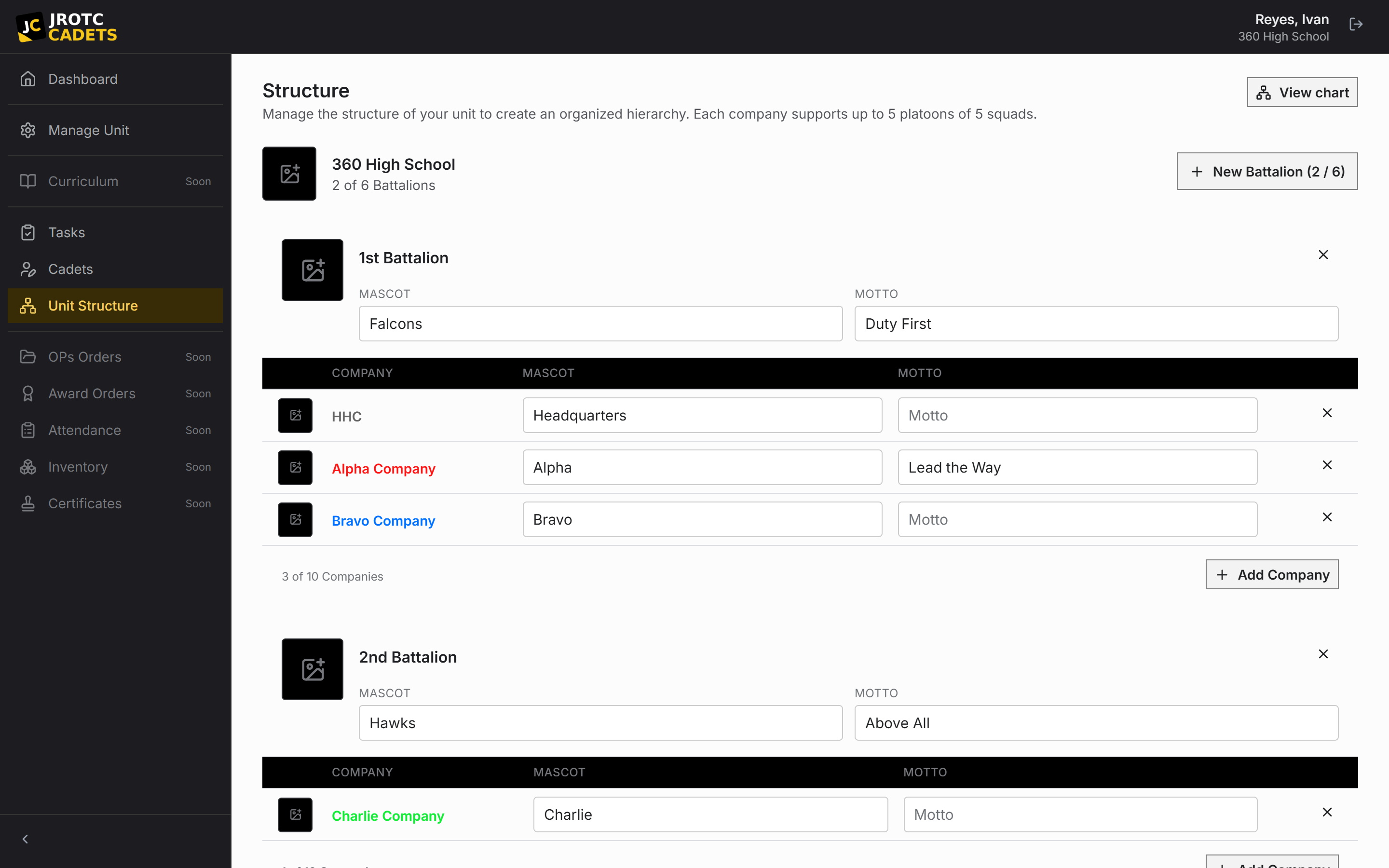
What the structure controls
The structure gives each roster record a place and helps scope what a position can reach. It also lets the interface use the terminology Cadets already know.
This is more than an organization chart. Changing it affects placement and the context in which delegated roles operate.
Branch-aware terminology
Army and Marine Corps organizations may use battalions, companies, platoons, and squads. Air Force organizations may use groups, squadrons, and flights. Navy and Coast Guard programs use their own familiar formations.
Choose the program accurately at setup. Do not rename an Army-shaped tree with Air Force labels; model the actual hierarchy instead.
Build from the top down
- 1Confirm the highest formation represented by the account.
- 2Add each child formation in the order it appears on the unit organization chart.
- 3Use stable, recognizable names rather than temporary leader names.
- 4Place a small roster sample and confirm it appears under the expected parents.
- 5Only then place the remaining Cadets and positions.
Restructuring an active unit
Plan the target tree before moving records. Moving one formation at a time is easier to verify than changing names, parents, and placements at once.
After a restructure, review position scope, empty formations, and the change history.
Key terms in this guide
- Cadet record
- The unit’s authoritative operational record for one Cadet; it is separate from the account used to sign in.
- Position
- A named unit duty that can carry permissions, scope, an assigned Cadet, and continuing work.
- Scope
- The records or formations within which a permission, report, tool, or action applies.
- Change history
- The attributable sequence of previous values, new values, actors, and times behind official changes.
Continue reading
Set up a unit from start to finish
The recommended setup order, with the dependencies and checks that prevent cleanup later.
Read nextConfigure positions and permissions
Build a chain of command where responsibility and access survive annual turnover.
Read nextUnderstand the Cadet record lifecycle
Create, maintain, drop, reinstate, and safely troubleshoot the unit’s official Cadet records.
Read next