
Administration
Manage the unit workspace
A tab-by-tab reference for unit information, billing, account links, join requests, positions, awards, and immutable history.
Guide at a glance
How to use this guide
Start with
Collect the school, unit, responsible account, exact status, and any visible error or billing detail before acting.
By the end
The operational issue is resolved without creating duplicate identities, losing history, or weakening account ownership.
Information
Information holds the unit logo and active school-year settings. The unit name is directory-controlled; contact support if the school identity is wrong.
The same tab shows entitlement, seat allowance, expiry, renewal behavior, additional capacity, receipts, and invoices. Billing writes do not alter the roster itself.
Linked Cadets
Linked Cadets lists roster entries with approved user accounts attached. Unlinking revokes the account’s access and clears the link on the roster record; it does not delete the Cadet record.
Use this tab when a person has the wrong account attached or when access must be removed without removing operational history.
Join requests
A pending join request is an account awaiting an instructor decision. Approving means selecting one existing, unlinked roster entry and attaching the account to it.
Only unlinked Cadets appear in the picker. Denying the request does not delete a roster record because the account and roster record are separate objects.
Positions
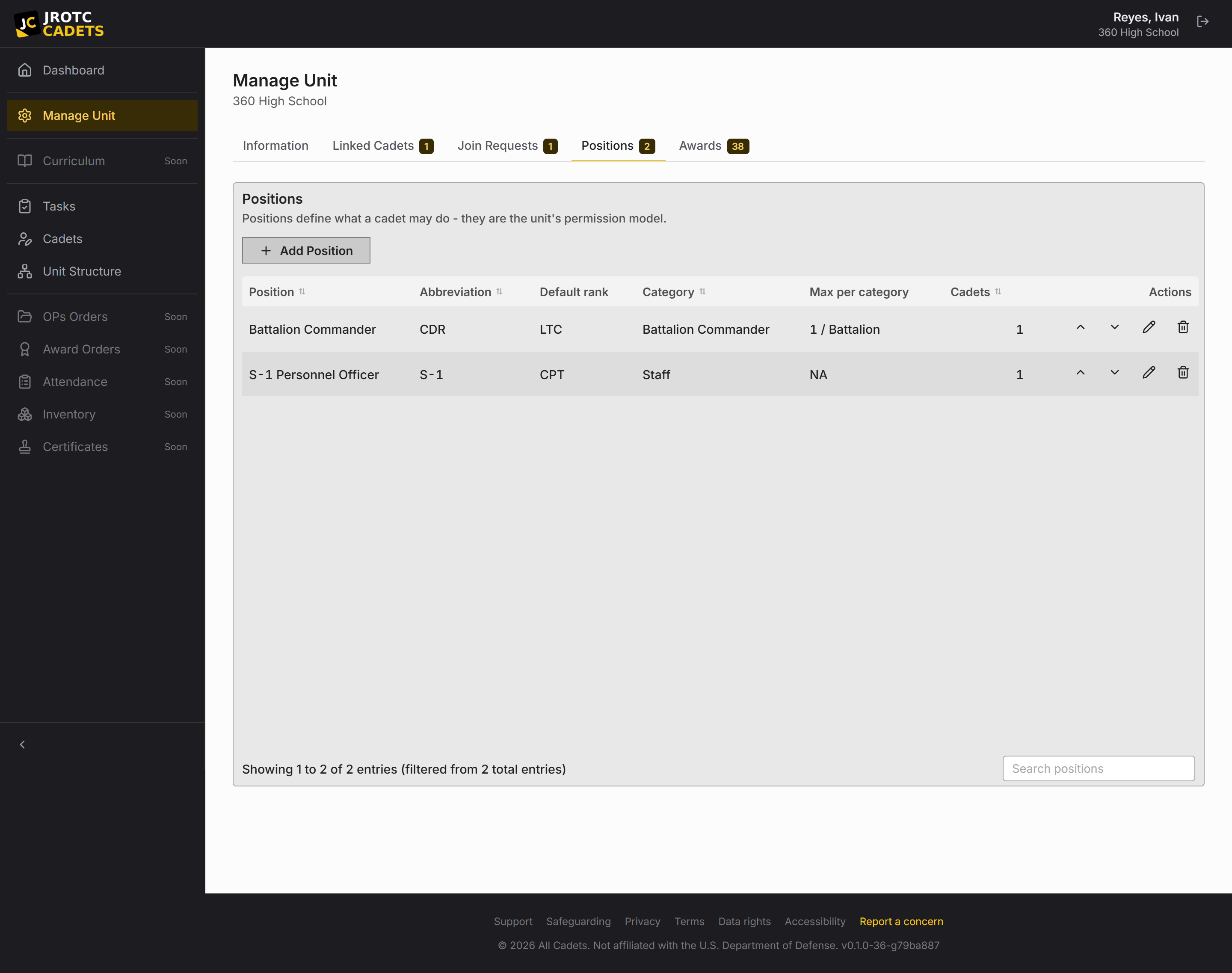
Positions define billet name, abbreviation, category, default rank, category limits, and permissions. They are the repeatable access model for Cadet staff.
Required fields are validated before save. Permission dependencies are hierarchical: removing a parent grant also removes the child grants it gates.
Awards
The award catalogue combines branch defaults with unit-defined awards. A branch that does not support the structured award feature states that directly.
Keep required award type, series, name, and branch-specific code fields complete before saving.
Unit log
The unit log is newest first and cannot be edited or removed. It records actor, time, target, source, and field-level details. Entries created by a change request link back to the request that authorized them.
Use the data-change filter when you need mutations rather than every recorded lifecycle event.
Key terms in this guide
- Cadet record
- The unit’s authoritative operational record for one Cadet; it is separate from the account used to sign in.
- Registration
- The request to create or connect a sign-in identity. It is not itself an active roster record.
- Position
- A named unit duty that can carry permissions, scope, an assigned Cadet, and continuing work.
- Change request
- A proposed official change that keeps the current and proposed values available for review.
Continue reading
Register, approve, and link a Cadet account
Why sign-in and roster records are separate, and how to connect them without creating duplicates.
Read nextConfigure positions and permissions
Build a chain of command where responsibility and access survive annual turnover.
Read nextRead the change history
Trace what changed, who acted, and what the record contained before the change.
Read next