
Platform reference
Platform staff console
An operational overview of the separate admin origin for platform health, accounts, instructor approvals, units, branches, and subscription state.
Guide at a glance
How to use this guide
Start with
Use this as a precise reference. Check the named surface, role, domain, and availability state against your situation.
By the end
You can distinguish current behavior from planned capability and know which product surface owns the action.
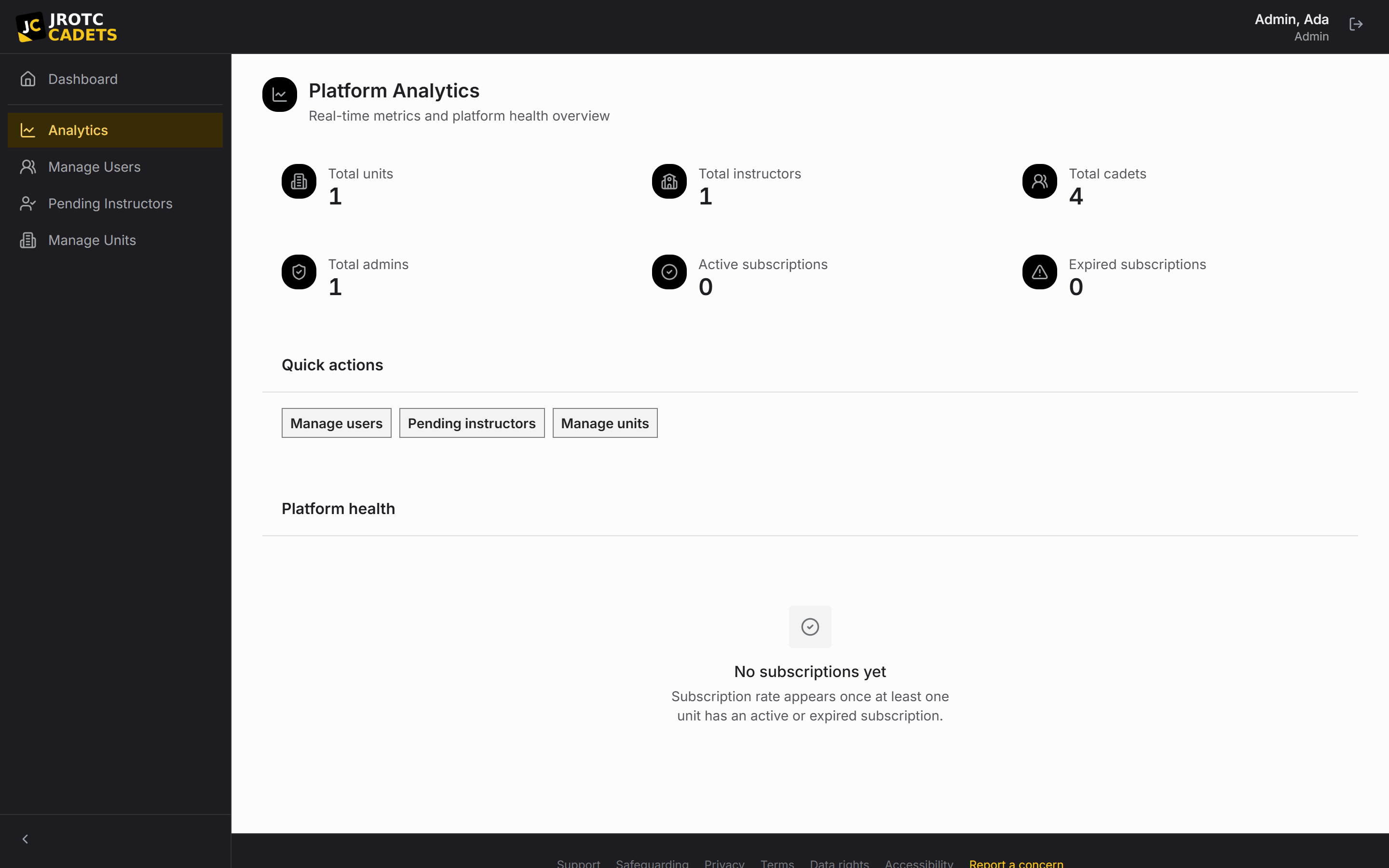
A separate application surface
Platform administrators use a staff portal rather than the school-unit navigation. Organization pages are not mixed into the console and admin pages are not carried into organization builds.
The unified Windows desktop application selects the correct navigation after the role is hydrated.
Overview
Platform Analytics shows total units, instructors, Cadets, admins, pending work, active subscriptions, expired subscriptions, and subscription rate.
Metrics are operational indicators derived from current platform records rather than billing forecasts.
Users
User Management searches and filters accounts by role and status. Authorized staff can inspect, edit, ban, unban, and remove non-admin accounts according to console safeguards.
Banning signs the person out and blocks future access while retaining the account and data for reversible review.
Pending instructors
The approval queue is where the first instructor creates a unit and where later instructors gain access to an existing one.
Approval is a server-side operation so a client cannot create or attach itself to a unit.
Units and subscriptions
Unit Management inspects domains, branches, Cadet counts, instructor counts, pending instructors, subscription blocks, trial state, expiry, and receipts.
Expiring a subscription immediately moves instructors to billing and blocks Cadets. Deleting a branch is permanently destructive and may orphan related records, so the console names that consequence before confirmation.
Administrative accountability
Administrative access and mutations are logged. Staff access should be used only for support, security, billing, or legal operations that require it.
The public documentation describes the console’s behavior without publishing internal credentials or deployment controls.
Key terms in this guide
- Change request
- A proposed official change that keeps the current and proposed values available for review.
- Change history
- The attributable sequence of previous values, new values, actors, and times behind official changes.
Continue reading
Unit creation, branches, and school years
How a school becomes a tenant, when its first branch record is created, and how the active academic year scopes its data.
Read nextRoles, access, and unit boundaries
What instructors, Cadets, position holders, and platform administrators can reach.
Read nextSecurity, sessions, and shared devices
How sign-in, automatic session endings, role boundaries, and logged administrative access protect unit records.
Read next