
Start here
Use the dashboard and navigation
Understand what the first screen is telling you, why navigation differs by role, and where each product area lives.
Guide at a glance
How to use this guide
Start with
Read this before making broad setup decisions. The order and relationships matter more than memorizing individual screens.
By the end
You should be able to explain how the unit, roster, structure, accounts, roles, and workflows fit together.
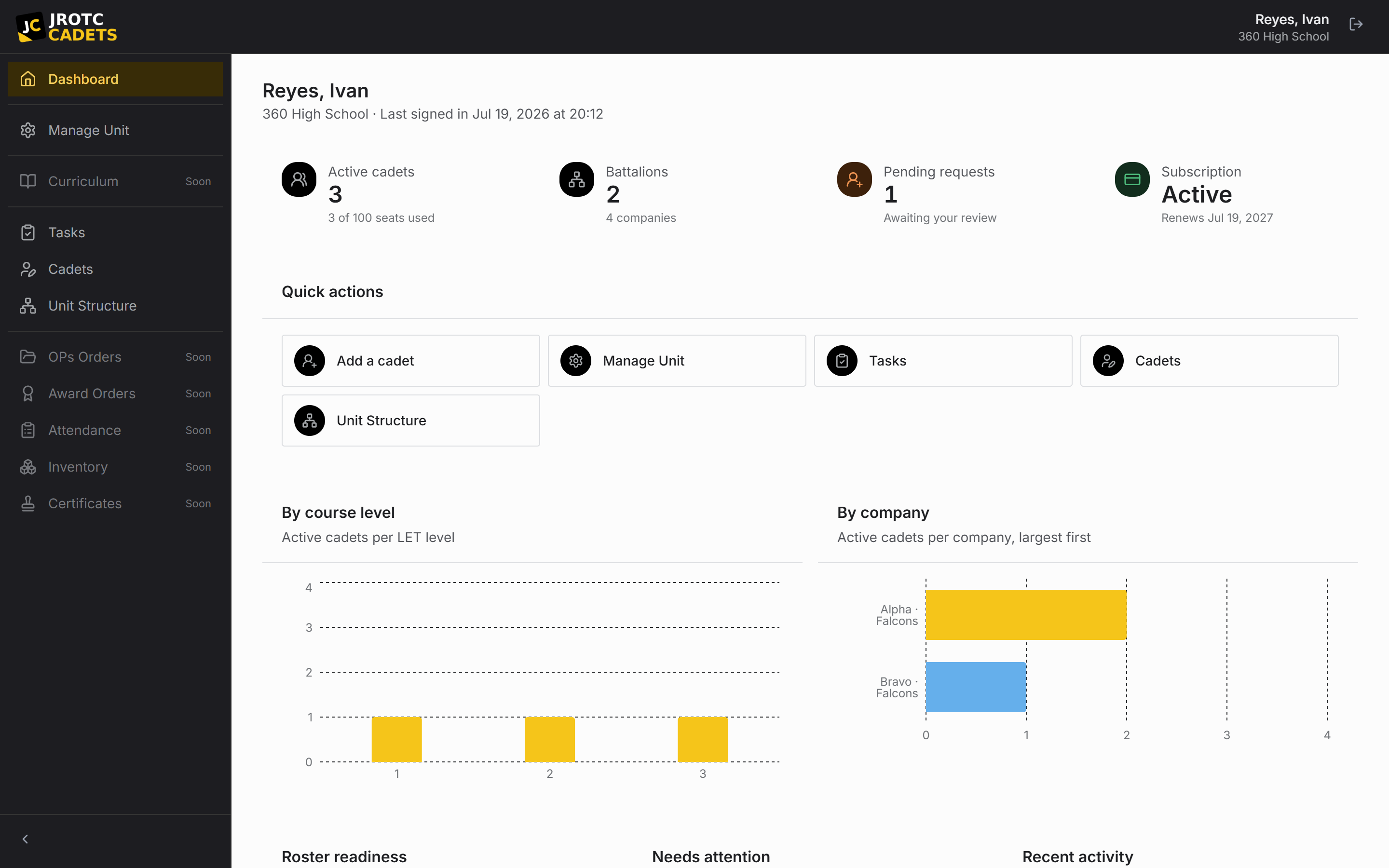
The dashboard follows the signed-in role
Instructors land on a unit-wide operational dashboard. It summarizes active Cadets, seat usage, pending requests, course-level distribution, company distribution, and records needing attention.
Cadets land on a personal dashboard centered on their own assignment, branch terminology, rank, position, course level, and tasks. Staff-only navigation is omitted rather than shown as a collection of disabled links.
How the application is organized
| Area | What belongs there |
|---|---|
| Manage Unit | Unit information, school year, billing, linked accounts, join requests, positions, awards, and the unit log. |
| Cadets & Requests | The official roster, individual records, and pending change proposals. |
| Unit operations | Structure, organization chart, calendar, tasks, and reports. |
| Tools | Site Builder, Form Builder, fundraisers, and blood drives. |
| Settings | The signed-in person’s editable profile and desktop privacy controls. |
Use attention counts as a work queue
Dashboard counts are links into the underlying records, not a second copy of the data. Resolve the record or request at its source and the dashboard follows.
Seat usage is derived from active, seat-taking Cadets against the subscription allowance. Dropped Cadets remain in history but do not behave like active roster rows.
Key terms in this guide
- Position
- A named unit duty that can carry permissions, scope, an assigned Cadet, and continuing work.
- Change request
- A proposed official change that keeps the current and proposed values available for review.
- Dropped record
- A record removed from the active roster without erasing its history or preventing later reinstatement.
- Active school year
- The academic period that determines which operational unit data is current.
Continue reading
How All Cadets works
A complete mental model of the unit, its records, and the approval-led workflow that connects them.
Read nextManage the unit workspace
A tab-by-tab reference for unit information, billing, account links, join requests, positions, awards, and immutable history.
Read nextCurrent feature availability
A no-ambiguity inventory of what is live, what is visible but planned, and what belongs to a separate platform surface.
Read next