
Unit records
Cadet profiles: personal, assignment, education, training, and fitness
A field-level tour of the Cadet editor and the distinction between personal details and unit-controlled assignment data.
Guide at a glance
How to use this guide
Start with
Begin with the existing record and its history. Search before creating, and distinguish correction, status change, and deletion.
By the end
The authoritative record is accurate, linked, placed correctly, and still explains how it reached its current state.
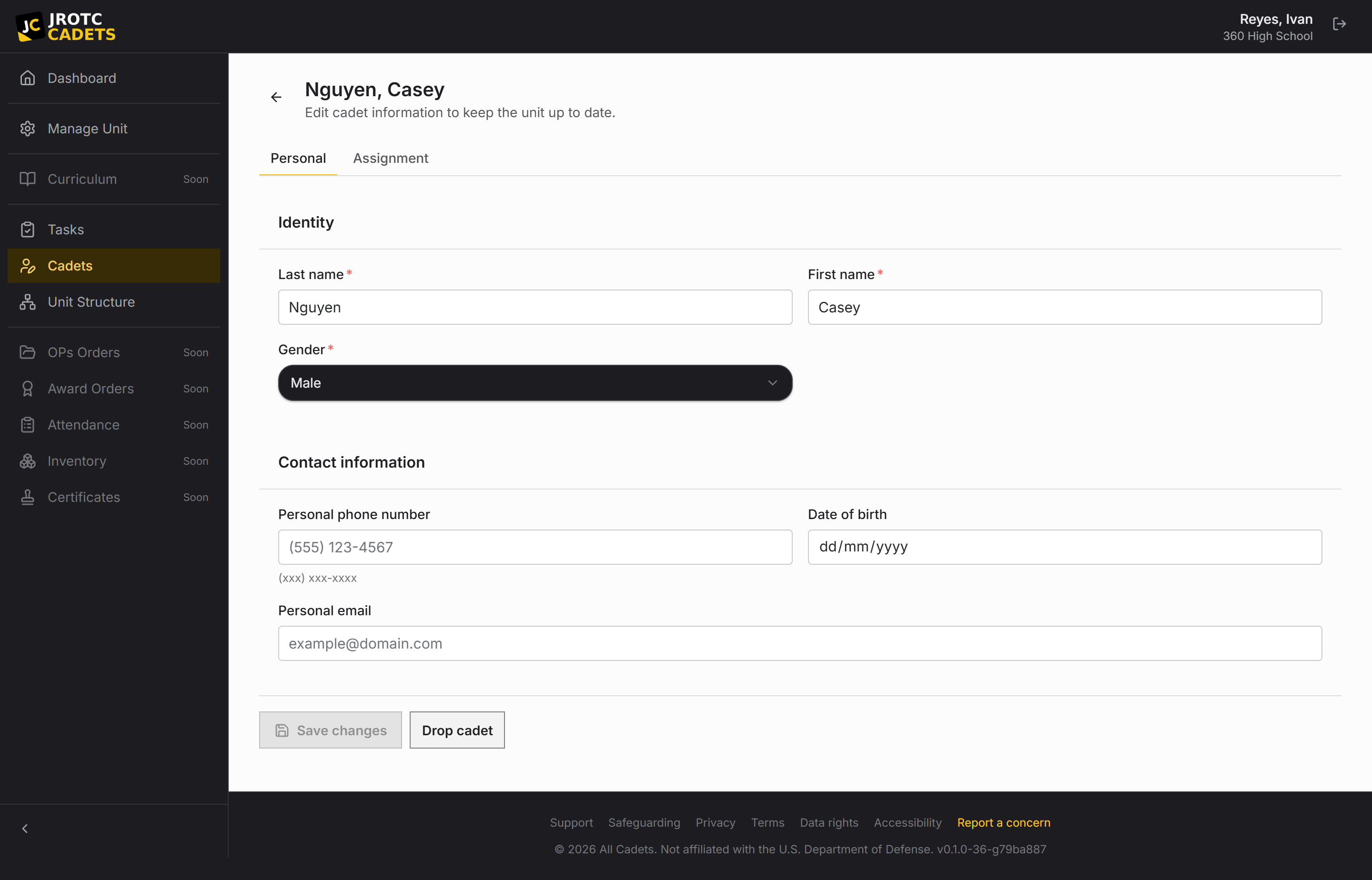
Personal information
The personal section covers name, gender, personal phone, date of birth, personal email, school email, home address, and profile imagery where configured.
The signed-in person can update their own personal details from Settings. Unit-controlled fields such as rank and position remain outside that self-service surface.
Assignment and standing
Assignment records the branch rank, course level, grade, battalion or equivalent, company or equivalent, position, platoon, and squad. The available labels and rank ladder follow the unit branch.
Position, course level, and rank are also the three authority axes used when deciding whether a Cadet’s edit may apply directly.
Education, training, and fitness
The third section holds the additional program record used for education, qualifications, training, and physical-fitness data. The exact fields follow the active product configuration.
These values are part of the canonical Cadet record and can be selected by roster-backed reports. Treat them with the same care as the personal section.
Validation and save behavior
Required and formatted fields are validated before save. A new Cadet requires the Can add Cadets permission when created by a Cadet; existing-record edits use relative authority instead.
If the Cadet already has an open request, a new save contributes to that request rather than silently writing around it. Conflicting proposed fields are shown for a deliberate choice.
Drop, undrop, and delete are different
Drop and undrop are operational state changes that preserve the record. Delete is destructive and should not be used as routine roster cleanup.
A pending request is respected by record actions so the live roster and the proposed change set cannot drift unnoticed.
Key terms in this guide
- Cadet record
- The unit’s authoritative operational record for one Cadet; it is separate from the account used to sign in.
- Position
- A named unit duty that can carry permissions, scope, an assigned Cadet, and continuing work.
- Change request
- A proposed official change that keeps the current and proposed values available for review.
- Dropped record
- A record removed from the active roster without erasing its history or preventing later reinstatement.
Continue reading
Understand the Cadet record lifecycle
Create, maintain, drop, reinstate, and safely troubleshoot the unit’s official Cadet records.
Read nextRelative authority on Cadet records
The three-axis rule that decides whether a Cadet edit applies immediately or becomes a request—and why no permission bypasses seniority.
Read nextCollaborative change requests, review, and conflict resolution
The full request lifecycle: contributions, field-level decisions, authority requirements, chain review, conflicts, merge, and closure.
Read next